Linux for connected machines.
fungOS is a mesh-native stack: Mycelium gives every machine an identity, discovery, DNS and signed updates; Soil runs sandboxed Spores; Canvas is the workspace; Unibus moves events and media.
Install it on the macOS or Linux machine you already use, or boot the preview image in a VM.
Preview: fungOS Linux images are built and tested in QEMU; public images are not available yet. The Mycelium installer is available today for macOS and Linux.
Install in one line
One command installs Mycelium, Soil, the Canvas workspace and the bundled Spores on macOS or Linux. It does not reinstall the operating system.
curl -fsSL https://sh.fungos.dev/install.sh | bash -s --Joining an existing fleet uses a short-lived code minted by the authority:
curl -fsSL https://sh.fungos.dev/install.sh | bash -s -- --code "MYC1-..."- Identity and mesh
- Mycelium node identity, discovery, topology, mesh DNS and the iroh-tun IPv6 overlay.
- Access
- Short-lived SSH certificates, roles and per-host least-privilege grants.
- Workspace
- Soil runtime and Canvas: native windows, tiled workspaces and terminal sessions.
- Spores
- Sandboxed, capability-granted apps — terminal, files, browser — launched from the catalogue.
- Updates
- A signed release channel, health checks and rollback.
Once the 0.1.0 archives are public, add --release latest to skip the source build. The installer verifies the downloaded archive against the release checksums, then asks for sudo for the root tunnel and DNS services.
macOS, or a systemd Linux host. Full install notes.
Discover. Map. Enroll. Update.
- Discovery
- Find machines, services, network equipment and attached resources.
- Topology
- See sites, subnets, links and how devices connect.
- Enrollment
- Provisioned machines join on first boot using short-lived Mycelium claims.
- Access
- Manage peer identity, roles and SSH access.
- Updates
- Distribute signed software, check activation health and recover from failed updates.
- Workspace
- Canvas arranges native windows, terminals and Spores into named workspaces.
- Apps
- Spores run as sandboxed components with explicit capability grants.
Mycelium also runs independently on existing machines. You don’t need to reinstall a device to bring it into your fleet.
System profiles
A shared Debian base, with applications selected for the job.
| Profile | Includes | Status |
|---|---|---|
| Base | Linux, SSH and Mycelium integration | Rootfs built and inspected |
| Edge | Unibus and Canvas / Wayland | Running in QEMU |
| Headless edge | Unibus runtime, no display session | Pi 3B+ image inspected |
| Compute | UMIE, Yggdrasil or Shroud | GPU handoff verified |
| Cloud | Shroud workload runtime | Nested Firecracker boot verified |
Rootfs targets: amd64 and arm64. Raspberry Pi 3B+ hardware boot is pending. A DigitalOcean image is not available yet.
Beyond the desktop. The fungOS Fire TV app displays Unibus / Canvas. Holodeck brings the interface into VR on Quest 2 and Quest 3.
- Fire TV
- Quest 2 / 3
- Apple TV planned
- Vive Pro planned
 Fire TV
 Quest 2 / 3
 Apple TV
 Vive Pro
Documentation
Preview images
To install on a machine you already have, use the one-line installer. The images below are frozen fungOS Linux builds.
Qualification image · amd64. A minimal Debian-based installer with Mycelium. Fresh BIOS and UEFI installation tested in QEMU. Not the full Canvas/Unibus edge image or a supported v0.1 release.
Complete corresponding sources · 3.05 GiB · Source torrent
Checksums · Signature · Release public key · Test and license evidence
Verify your download
Confirm this release-key fingerprint through a separately trusted channel before admitting the downloaded key:
FC3C04696D437DCD2F51895F0BEFDC5CF68C7CBA
gpg --show-keys --with-fingerprint fungos-release-key.asc
gpg --dearmor --output fungos-release-keyring.gpg fungos-release-key.asc
gpgv --keyring ./fungos-release-keyring.gpg SHA256SUMS.asc SHA256SUMS
sha256sum --check SHA256SUMS
Download every listed file for a complete checksum check. On macOS, use shasum -a 256 --check SHA256SUMS. Torrent hashes alone do not authenticate a release. These torrents include HTTPS webseeds; no persistent public peer seeder is promised.
Start with the QEMU installation guide, or add Mycelium to an existing machine without reinstalling it.
- Pi 3B+ · arm64 · headless edge
Owner-personalized image. Filesystem checks passed; hardware boot pending. - Base / edge · amd64 and arm64
Rootfs tarballs built and inspected. Not standalone boot images. - Cloud · amd64
Rootfs verified with nested Firecracker in QEMU. Not a provider image.
Try the qualification installer in a disposable VM. Physical hardware, Pi and full edge images remain unreleased. This frozen build is not a security/compliance certification or a production-install recommendation.
Recorded build checksums
Pi 3B+ image:7de69417da720730fd2dc094486ebaea1f4f5622dc10074854e7a85ebba1cb71
Cloud rootfs:2f5abd39627033adf3c1c98947f3f0892f8338ea424f5350d697d7cb601f9975
Base and edge checksums remain build-local.
Running fungOS
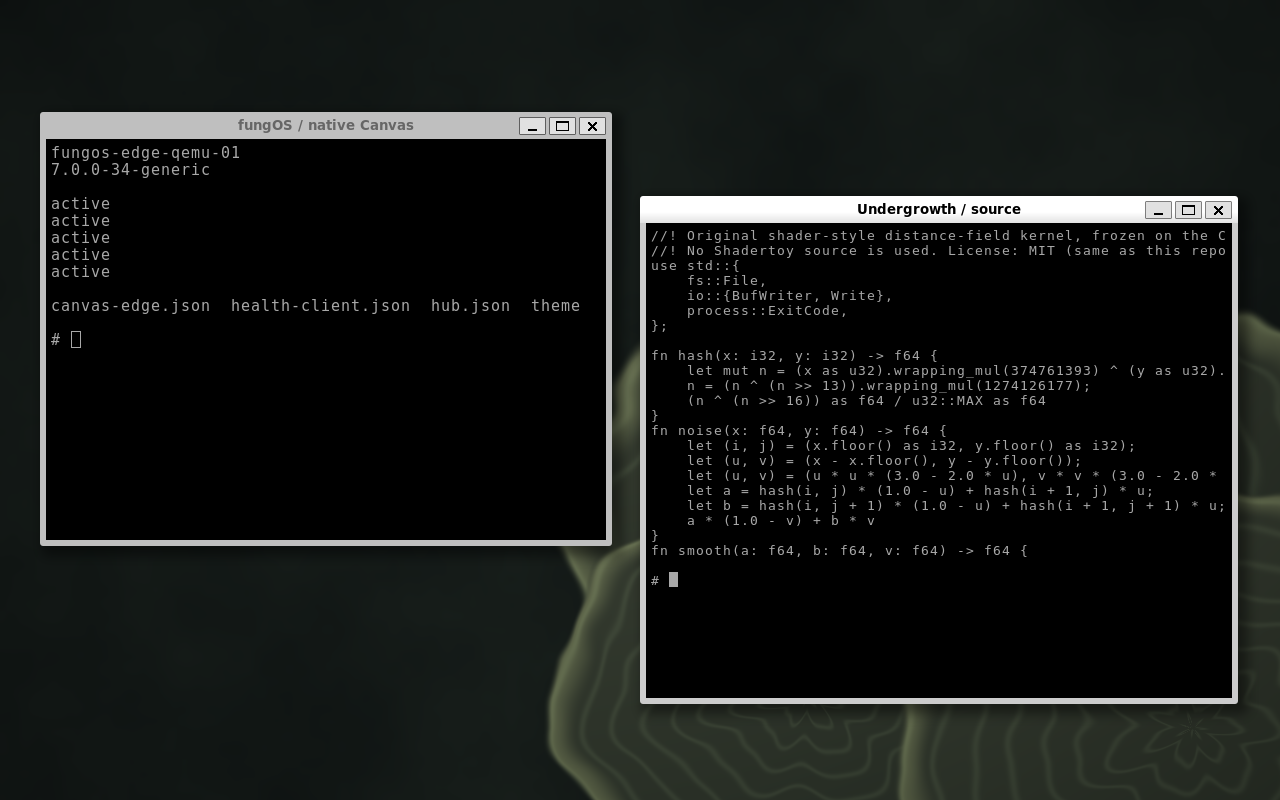
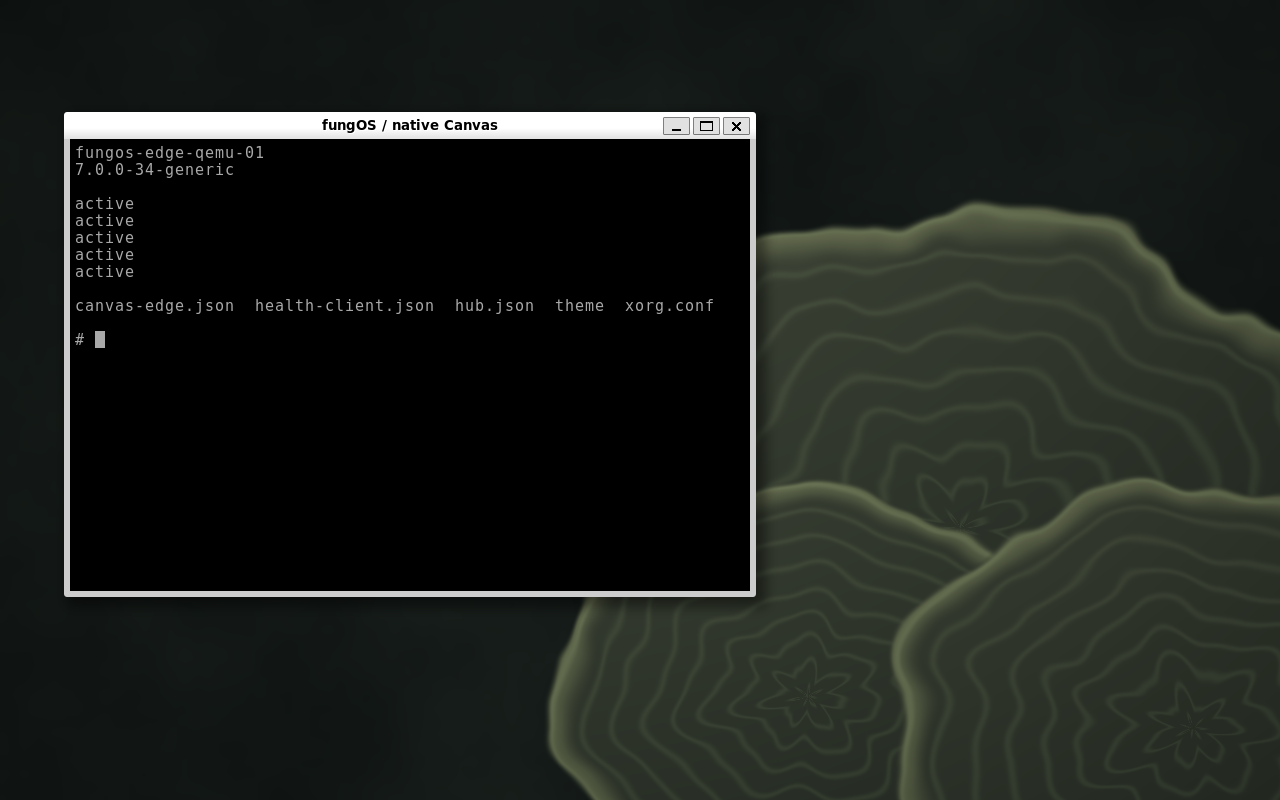
A rebuilt edge image enrolled, downloaded Unibus and Canvas through peers, and retained its identity and healthy services after reboot. Signed updates and rollback are separately verified.
The compositor remains manually updated until its display health check is ready.
About the project
fungOS is developed by Future Present Labs for homelabs, on-premises fleets, studios and compute nodes.
Mycelium manages machines. Unibus provides discovery and transport multiplexing across applications, devices and media. Canvas provides the interface. Shroud runs workloads. Each stands on its own.
- Open source — first-party foundations target MIT / Apache-2.0.
- Right to repair — modular drivers for mixed hardware.
- Privacy — local operation and least-privilege access.
- Interoperability — existing tools and native transports.
Upstream packages keep their own licenses. Standard and opt-in AGPL application selections are planned.
Join the fungOS Discord for project news, development, and community support.
Security
Discovery does not grant access. People and machines have separate identities; roles control permitted actions. Images do not clone peer credentials.
No current image is certified for regulated or classified use. Security profiles and current limits.